Bambu Lab
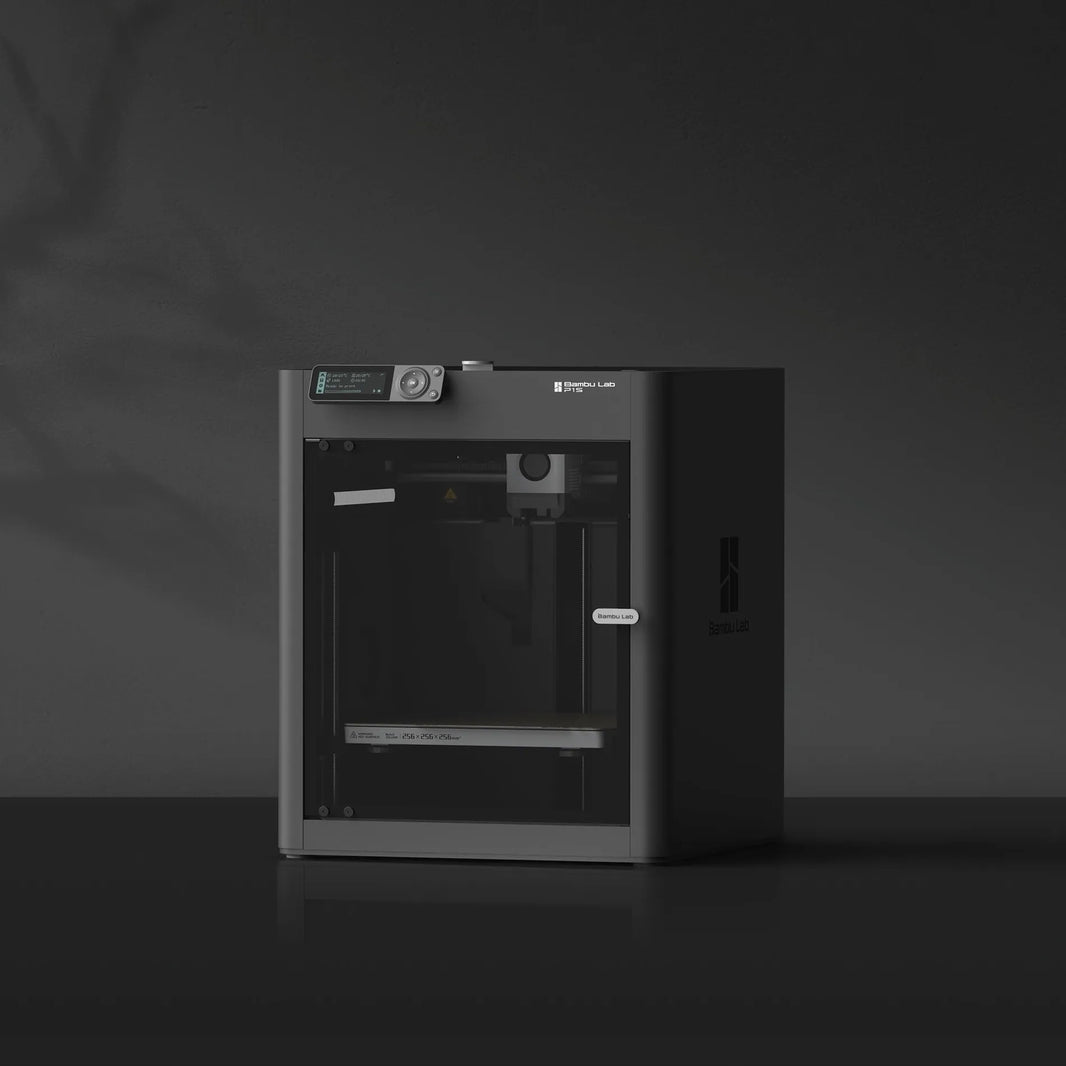
Bambu Lab P1S 3D Printer

If you start with a standard Bambu Lab P1S, you’re printing with one filament at a time—every colour or material change is manual. Once you add the Bambu Lab AMS, it becomes a different experience: you can load up to 4 spools, and the printer will auto-switch filaments during prints. In reality, most users don’t use it just for multi-colour (since that slows prints and creates waste), but more for convenience and workflow—you can switch materials automatically, queue jobs without changing spools, and run prints more hands-off.
Now when you step up to the P1S AMS 2 Pro Combo (P1S + AMS 2 Pro + AMS Hub), you’re preparing for scaling beyond 4 filaments. This combo includes P1S, AMS 2 Pro, 4-Pin Bus Cable, Switching Adapter, AMS Hub, and Bambu 4-in-1 PTFE Adapter, and is meant for users who plan to connect multiple AMS units. The key difference is the AMS Hub replaces the standard filament buffer, allowing you to expand up to 16 filaments (4 AMS units). If your goal is just smooth printing and occasional colour use, 1 AMS (no hub) is the sweet spot. But if you’re thinking of multi-colour production, many material types loaded at once, or running a mini print farm with minimal manual changes, then this combo is the right long-term setup.
| Order Lead Time | Free Local Delivery 1–2 days |
| Brand | Bambu Lab |
| Model | P1S (Combo options available with AMS 2 Pro and AMS Hub) |
| Dimensions | 389mm (W) x 389mm (D) x 458mm (H) |
| Build Volume | 256 × 256 × 256 mm |
| Printing Technology | FDM (Fused Deposition Modeling) |
| Max Printing Speed | Up to 500 mm/s |
| Max Acceleration | Up to ~20,000 mm/s² |
| Nozzle Diameter | 0.4mm (standard, interchangeable) |
| Supported Nozzle Sizes | 0.2 / 0.4 / 0.6 / 0.8 mm |
| Layer Resolution | 0.1 – 0.35 mm |
| Max Nozzle Temperature | Up to 300°C |
| Max Bed Temperature | Up to 100°C |
| Filament Compatibility | PLA, PETG, TPU, ABS, ASA, and more |
| Multi-Colour Printing | Up to 4 filaments (with AMS, optional) |
| AMS Compatibility | Supports AMS (optional add-on) |
| Connectivity | WiFi, LAN, Bambu Studio / Mobile App |
| Cloud & LAN Mode | Yes (supports offline LAN-only mode) |
| Supported File Types | STL, 3MF, OBJ |
| Slicer Software | Bambu Studio / Orca Slicer |
| Enclosure | Fully enclosed for stable temperature printing |
| Build Plate Type | Textured PEI removable plate |
| Cooling System | Dual-fan cooling system |
| Extruder Type | Direct drive extruder |
| Auto Bed Leveling | Yes (fully automatic calibration) |
| Filament Detection | Yes (runout detection) |
| AI Monitoring | Basic monitoring (no advanced AI failure detection) |
| Camera | Built-in monitoring camera |
| User Interface | Basic screen + app control |
| Resume Printing | Yes (power loss recovery) |
| Operating Noise | ~45–55 dB (varies by speed) |
| Power Consumption (Max) | ~1000W |
| Idle Power | <30W |
| Weight | Approx. 12.95 kg |
| Warranty | 1 year local warranty (Singapore) |
| Manufacturer | Made in China |
Bambu Lab P1S 3D Printer
If you start with a standard Bambu Lab P1S, you’re printing with one filament at a time—every colour or material change is manual. Once you add the Bambu Lab AMS, it becomes a different experience: you can load up to 4 spools, and the printer will auto-switch filaments during prints. In reality, most users don’t use it just for multi-colour (since that slows prints and creates waste), but more for convenience and workflow—you can switch materials automatically, queue jobs without changing spools, and run prints more hands-off.
Now when you step up to the P1S AMS 2 Pro Combo (P1S + AMS 2 Pro + AMS Hub), you’re preparing for scaling beyond 4 filaments. This combo includes P1S, AMS 2 Pro, 4-Pin Bus Cable, Switching Adapter, AMS Hub, and Bambu 4-in-1 PTFE Adapter, and is meant for users who plan to connect multiple AMS units. The key difference is the AMS Hub replaces the standard filament buffer, allowing you to expand up to 16 filaments (4 AMS units). If your goal is just smooth printing and occasional colour use, 1 AMS (no hub) is the sweet spot. But if you’re thinking of multi-colour production, many material types loaded at once, or running a mini print farm with minimal manual changes, then this combo is the right long-term setup.
| Order Lead Time | Free Local Delivery 1–2 days |
| Brand | Bambu Lab |
| Model | P1S (Combo options available with AMS 2 Pro and AMS Hub) |
| Dimensions | 389mm (W) x 389mm (D) x 458mm (H) |
| Build Volume | 256 × 256 × 256 mm |
| Printing Technology | FDM (Fused Deposition Modeling) |
| Max Printing Speed | Up to 500 mm/s |
| Max Acceleration | Up to ~20,000 mm/s² |
| Nozzle Diameter | 0.4mm (standard, interchangeable) |
| Supported Nozzle Sizes | 0.2 / 0.4 / 0.6 / 0.8 mm |
| Layer Resolution | 0.1 – 0.35 mm |
| Max Nozzle Temperature | Up to 300°C |
| Max Bed Temperature | Up to 100°C |
| Filament Compatibility | PLA, PETG, TPU, ABS, ASA, and more |
| Multi-Colour Printing | Up to 4 filaments (with AMS, optional) |
| AMS Compatibility | Supports AMS (optional add-on) |
| Connectivity | WiFi, LAN, Bambu Studio / Mobile App |
| Cloud & LAN Mode | Yes (supports offline LAN-only mode) |
| Supported File Types | STL, 3MF, OBJ |
| Slicer Software | Bambu Studio / Orca Slicer |
| Enclosure | Fully enclosed for stable temperature printing |
| Build Plate Type | Textured PEI removable plate |
| Cooling System | Dual-fan cooling system |
| Extruder Type | Direct drive extruder |
| Auto Bed Leveling | Yes (fully automatic calibration) |
| Filament Detection | Yes (runout detection) |
| AI Monitoring | Basic monitoring (no advanced AI failure detection) |
| Camera | Built-in monitoring camera |
| User Interface | Basic screen + app control |
| Resume Printing | Yes (power loss recovery) |
| Operating Noise | ~45–55 dB (varies by speed) |
| Power Consumption (Max) | ~1000W |
| Idle Power | <30W |
| Weight | Approx. 12.95 kg |
| Warranty | 1 year local warranty (Singapore) |
| Manufacturer | Made in China |
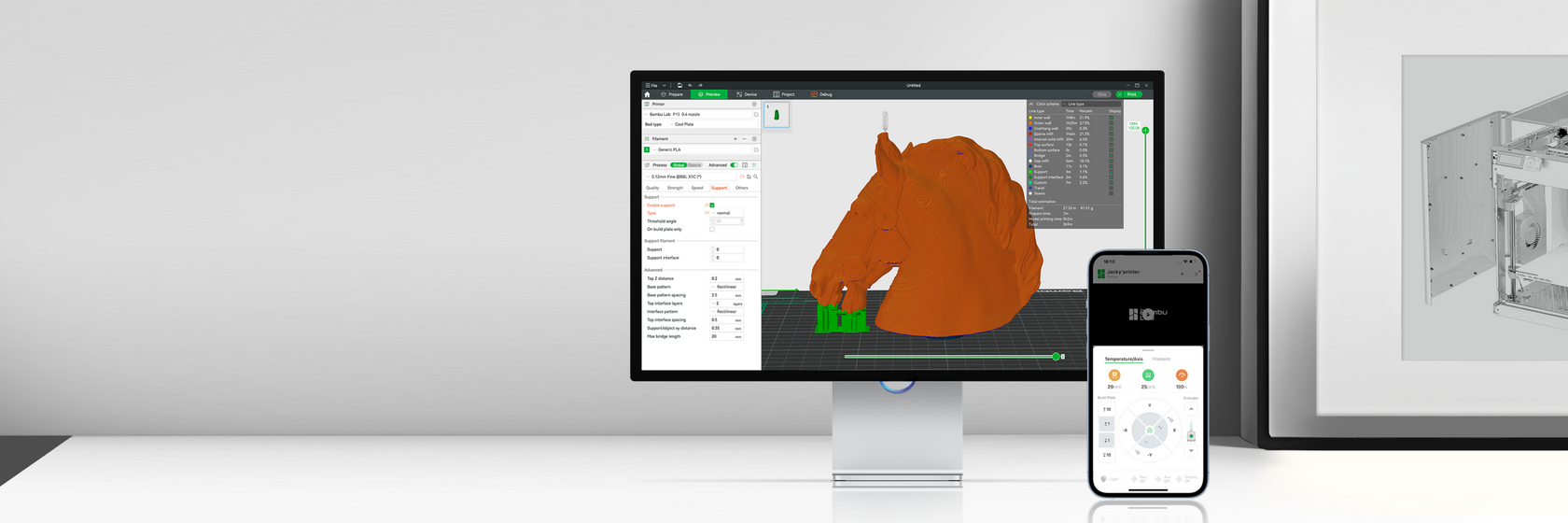
Sync with Bambu Studio and Bambu Handy
Remote control and monitor your printer on Bambu Studio or Bambu Handy. Through the built-in camera, you can also record timelapse videos. Connect to the MakerWorld models library, and print your favorite designs easily!